How to configure VSCode Bracket Pair Colors Natively


With an update in August 2021, VSCode started supporting Bracket pair colorization natively. It means there is no need to use the Bracket Pair Colorizer extension (which I love).
In their official announcement, the VSCode team states they choose to implement this feature natively to address performance issues.
I recently uninstalled the extension and thought, let's try to use the editor without any bracket color extension. I cannot. I've been using the extension as long as I remember and I cannot go back to plain, colorless brackets.

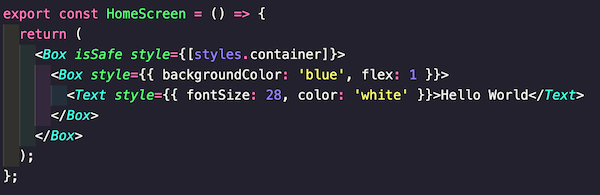
To enable this setting, open the settings.json file for the VSCode editor and add the following:
1{2 // ...3 "editor.bracketPairColorization.enabled": true,4 "workbench.colorCustomizations": {5 "editorBracketHighlight.foreground1": "#ffb86c",6 "editorBracketHighlight.foreground2": "#8be9fd",7 "editorBracketHighlight.foreground3": "#bd93f9",8 "editorBracketHighlight.foreground4": "#50fa7b",9 "editorBracketHighlight.foreground5": "#f1fa8c",10 "editorBracketHighlight.foreground6": "#abb2c0",11 "editorBracketHighlight.unexpectedBracket.foreground": "#ff5555"12 }13}
And tweak the colors according to your style!

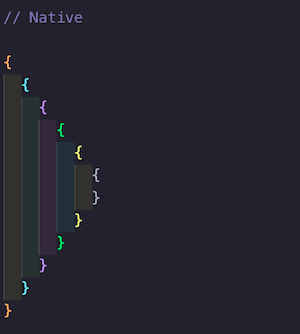
By the way, the above colors are from Dracula theme's 🧛♂️ color palette to match the overall editor theme I am currently using.
More Posts
Browse all posts